.png)

David Cardinez/Shutterstock
- You can use a Visa gift card on Amazon with a special workaround.
- Make sure your Visa gift card is activated and you know the exact balance.
- Amazon doesn't let you split payments between gift cards and other payment methods.
Amazon doesn't directly let you use Visa gift cards.
To use a Visa gift card on Amazon, you essentially have to trick the site into thinking you're adding another credit or debit card onto your account, and not using a gift card at all.
Make sure your Visa gift card is activated and ready
First, make sure the gift card has been activated. This should have happened at the time of the sale. You might have received a gift receipt or a card holder confirming its activated status, but you can also call the phone number on the back of the card.
Next, check the card's balance. This is especially important if you have already used it, as gift cards often have activation fees. That $50 card may actually have a $49 balance. You'll need to know the exact dollar and cent number, so don't skip this step.
Loading a Visa gift card on Amazon
To get started, go to Amazon's homepage on your computer.
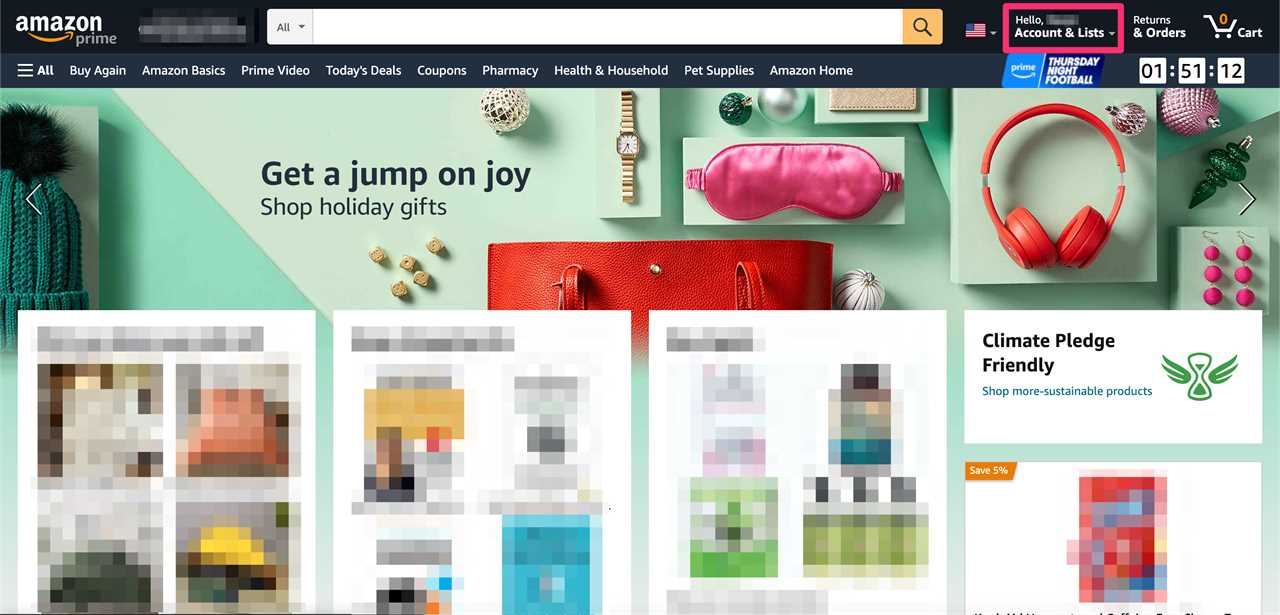
1. Click Accounts and Lists, located toward the top-right corner of the screen.
Devon Delfino/Insider
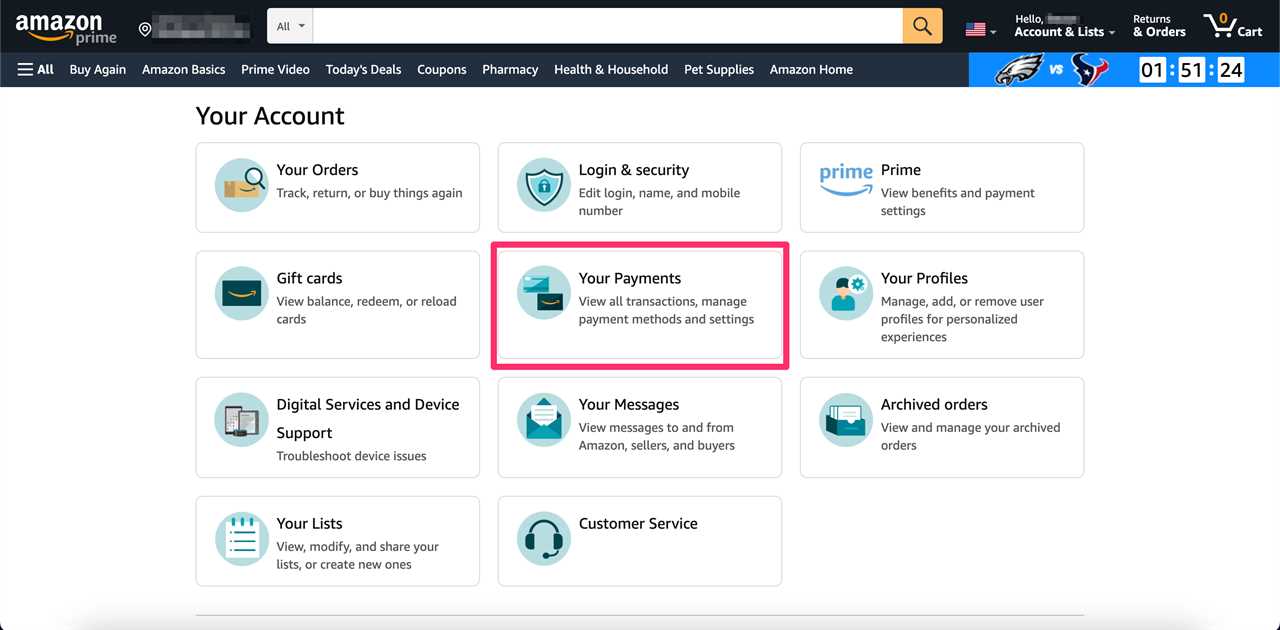
2. Click Your payments.
Devon Delfino/Insider
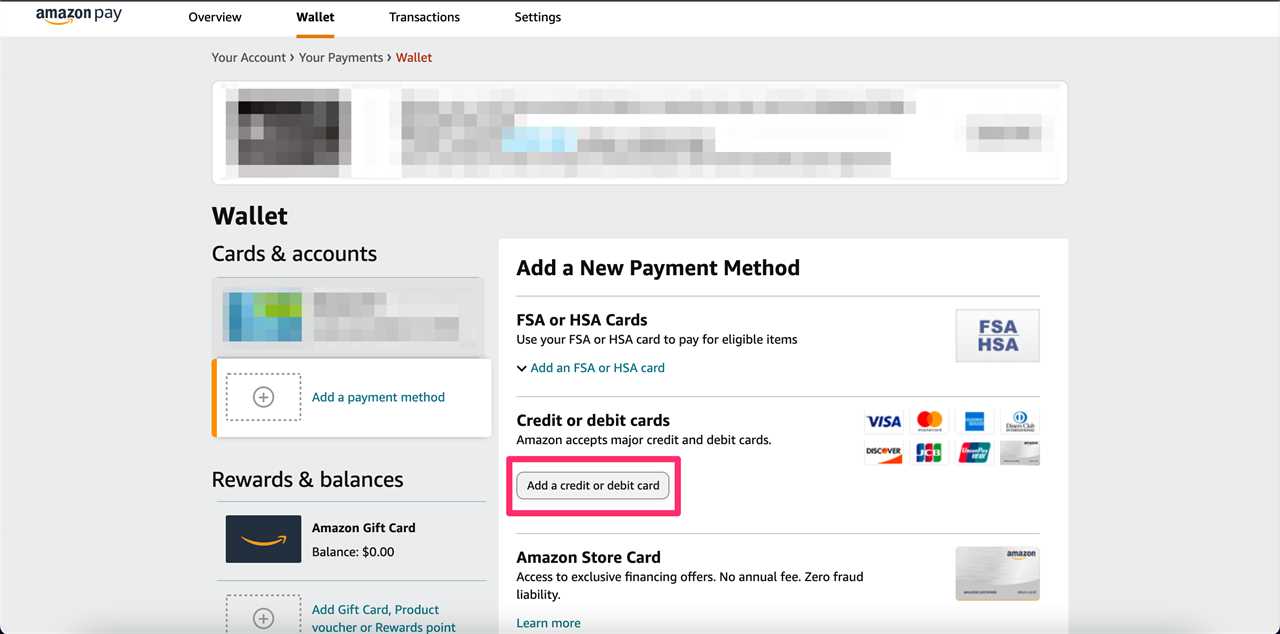
3. Under the words Add a payment method click the button labeled Add a credit card or debit card, located under Credit or debit cards.
Devon Delfino/Insider
4. Add the info exactly as shown on the card, meaning the card number, expiration date, and the name, which may be A Gift for You or some other short statement.

Devon Delfino/Insider
5. Enter your address when prompted even though the card is not technically associated with any location.
6. The next time you shop on Amazon, make sure to select the gift card you loaded as your payment method — you can identify it by the last four digits of the card.
Other hacks for using Visa gift cards on Amazon
It's kind of annoying that you can't use a gift card along with another mode of payment, right? To get around this you can use your card's balance to buy an Amazon gift card that you give to yourself, and that can be used for anything on the site and combined freely with another payment method.
You can also reload gift cards on Amazon, which can make them easier to use on the site. To do that, you'd go to the Accounts and Lists tab on the homescreen, followed by Gift Cards.
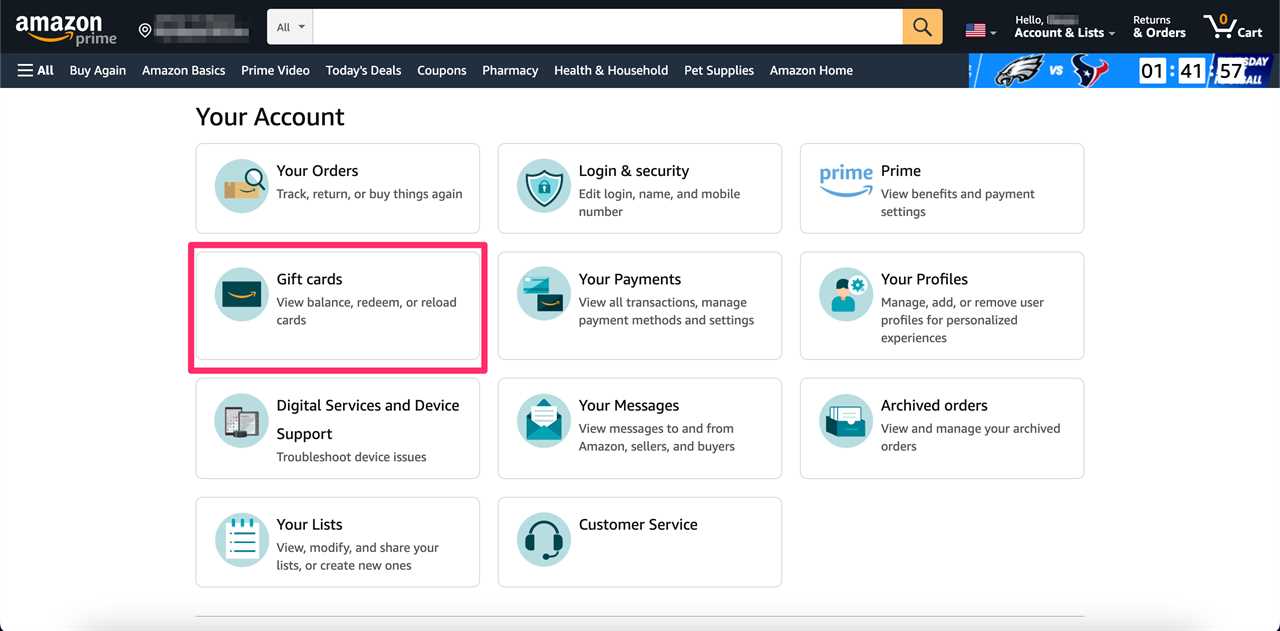
Devon Delfino/Insider
From there, you can select the yellow Reload your Balance button, located toward the top of the page.
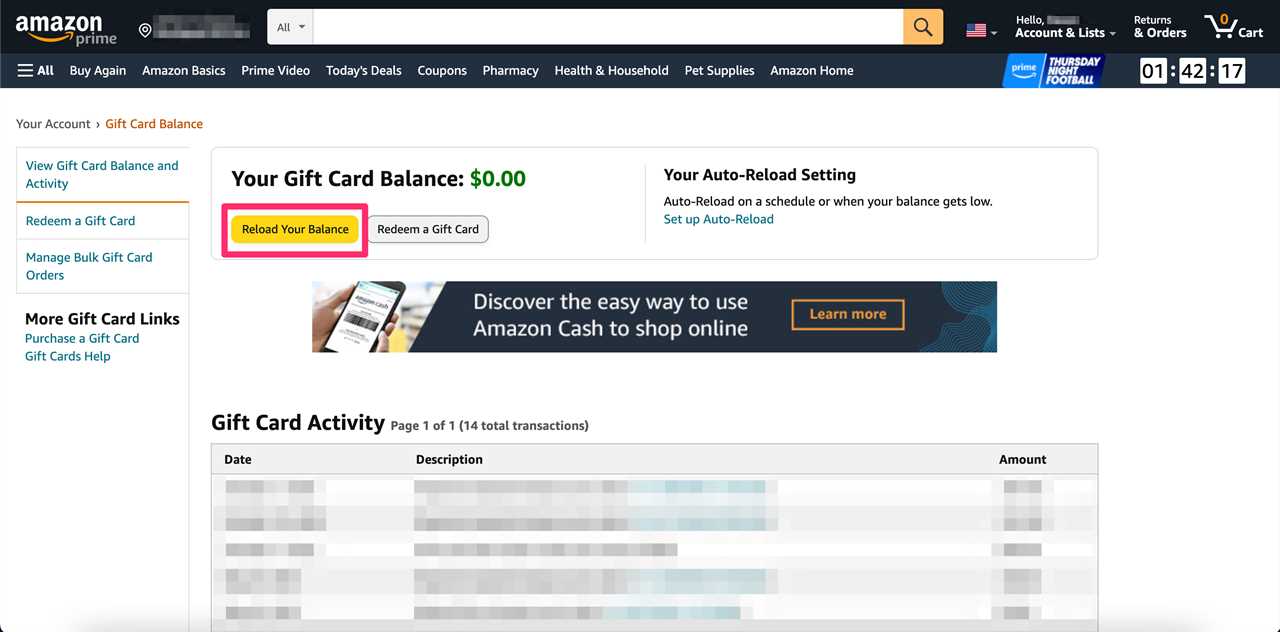
Devon Delfino/Insider
----------------------------------------------
By: [email protected] (Devon Delfino,Steven John)
Title: How to use a Visa gift card to shop on Amazon, despite it not being directly accepted
Sourced From: www.businessinsider.com/guides/tech/how-to-use-visa-gift-card-on-amazon
Published Date: Tue, 15 Nov 2022 21:57:01 +0000
Did you miss our previous article...
https://conservativedailytimes.com/business/cathie-wood-just-bought-shares-in-grayscales-bitcoin-trust-for-the-first-time-in-16-months-at-a-deep-discount